Best Ecu Programming Tool for Coding, Flashing and Diagnostics
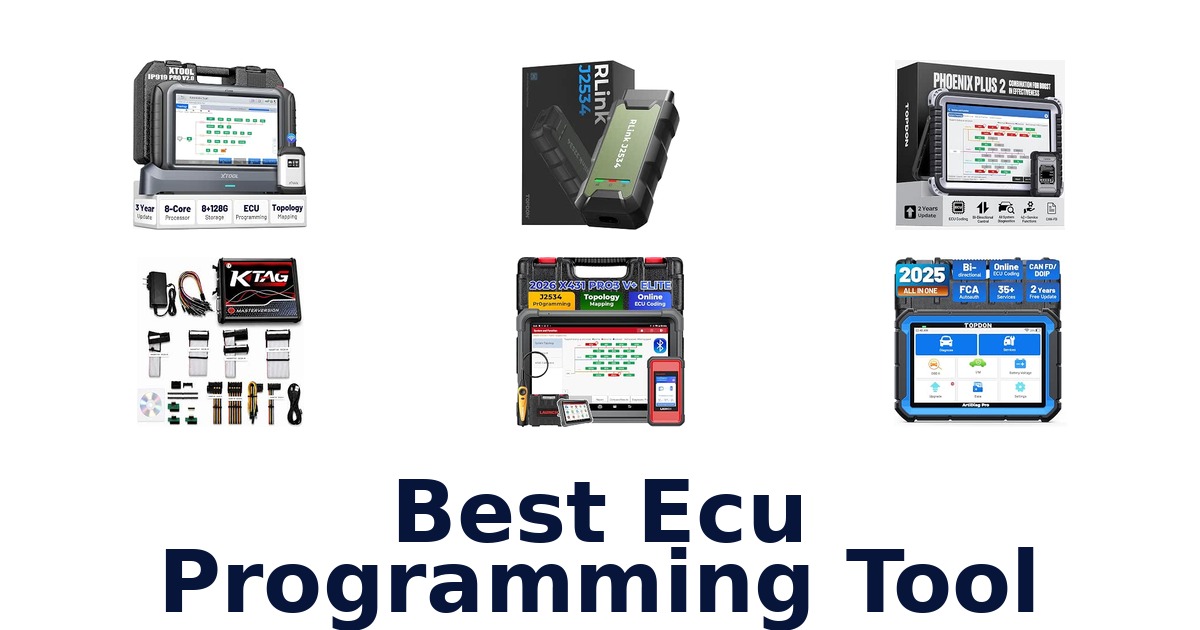
A strong ECU programming tool combines the programming method your vehicles require with verified brand and protocol compatibility, and it suits technicians or advanced DIYers performing module work. This roundup compares ten options, including full diagnostic tablets, J2534 pass-thru interfaces, and a bench-and-boot ECU programmer. TOPDON Phoenix Plus 2 leads for its online ECU coding, specified offline programming for several makes, and stated coverage across more than 200 brands and 50,000-plus models.
Other picks target narrower needs: Launch X431 PRO3 V+ Elite lists J2534 programming, while Aobole ECU Programming Tool focuses on ECU read/write and backup in bench or boot mode. Before choosing, verify compatibility for your exact vehicle, module, and programming task; feature lists do not guarantee that every function works on every model.
TOPDON Phoenix Plus 2 is the strongest overall pick in this lineup because it combines online ECU coding with offline programming for Ford, Mazda, Vauxhall, and Opel, plus stated coverage of more than 200 brands and 50,000-plus models. It also lists module replacement and initialization via PMI. Choose it when you want a broad diagnostic tablet for varied makes; for direct bench or boot ECU data work, Aobole ECU Programming Tool is a more task-specific option, while TOPDON RLink J2534 is a pass-thru interface rather than a standalone tablet.
Our Top Picks
 Best Overall
Online ECU coding, offline programming for Ford, Mazda, Vauxhall, and Opel, and stated coverage of 200-plus brands make it the broadest listed fit.
View on Amazon Best J2534 Tablet
It explicitly lists J2534 programming and includes the SmartLink C V2.0, pairing a specified programming method with a 10.1-inch tablet.
View on Amazon Best Topology Mapping
Its title specifies ECU programming and coding, while the product data also identifies topology mapping and a 9.7-inch screen.
View on Amazon- Best Protocol Coverage XTOOL IP919 PRO V2.0
- Best Cloud Programming TOPDON Phoenix XLink
Compare ECU programming tools by capability and use case
| # | Product | Screen Size | Buy |
|---|---|---|---|
| 1 | 1. TOPDON Phoenix Plus 2Best Overall | 10.1 in | View on Amazon |
| 2 | 2. LAUNCH X431 PRO3 V+ EliteBest J2534 Tablet | 10.1 in | View on Amazon |
| 3 | 3. XTOOL D9S PROBest Topology Mapping | 9.7 in | View on Amazon |
| 4 |  4. XTOOL IP919 PRO V2.0Best Protocol Coverage 4. XTOOL IP919 PRO V2.0Best Protocol Coverage | 10.1 in | View on Amazon |
| 5 |  5. TOPDON Phoenix XLinkBest Cloud Programming 5. TOPDON Phoenix XLinkBest Cloud Programming | 10.1 in | View on Amazon |
| 6 |  6. TOPDON RLink J2534Multi-protocol pass-through programming 6. TOPDON RLink J2534Multi-protocol pass-through programming | — | View on Amazon |
| 7 |  7. Aobole ECU Programming ToolBench and boot ECU programming 7. Aobole ECU Programming ToolBench and boot ECU programming | 1 centimeters | View on Amazon |
| 8 |  8. LAUNCH X431 PRO5Large-screen coding and topology 8. LAUNCH X431 PRO5Large-screen coding and topology | 10.1 in | View on Amazon |
| 9 |  9. XTOOL D7STablet-based bidirectional ECU work 9. XTOOL D7STablet-based bidirectional ECU work | 7 | View on Amazon |
| 10 |  10. TOPDON ArtiDiag ProFeature coding and service functions 10. TOPDON ArtiDiag ProFeature coding and service functions | 7 in | View on Amazon |
Detailed Reviews: Best Ecu Programming Tool
#1 · Best Overall
1. TOPDON Phoenix Plus 2
- Screen Size: 10.1 in
Best for: Broad-coverage coding and programming.
Why it ranks #1: Online ECU coding, offline programming for Ford, Mazda, Vauxhall, and Opel, and stated coverage of 200-plus brands make it the broadest listed fit.
Coverage across 200-plus brands and 50,000-plus models makes the TOPDON Phoenix Plus 2 a compelling match for mixed-make diagnostic work. It combines online ECU coding with offline programming for Ford, Mazda, Vauxhall and Opel, alongside module replacement, initialization and full-system adaptations.
Online coding provides access to manufacturer-level configurations, while the listed offline programming for Ford, Mazda, Vauxhall and Opel gives those workflows a defined additional route. The Phoenix Plus 2 also supports ECU module replacement and initialization via PMI, plus full-system adaptations, making it relevant after component changes as well as during diagnostics. A 10.1-inch screen and supplied MDCI dongle, programming lines and OBDII extension cable support workshop use. Its coverage claim spans US, European and Asian markets.
- Lists coverage of 200-plus brands and 50,000-plus models
- Online ECU coding
- Offline programming for Ford, Mazda, Vauxhall and Opel
- Supports PMI module replacement and full-system adaptations
- Offline programming is specifically listed for Ford, Mazda, Vauxhall and Opel.
Skip it if you need cloud-based BMW and Benz programming as the main workflow; the TOPDON Phoenix XLink specifically lists cloud-based programming for those makes.
This Phoenix Plus 2 suits shops handling varied makes that need coding, offline programming for its named brands, and module initialization. Its offline programming list is specific, so match that capability to the vehicle work planned.
Full product details
| Brand | TOPDON |
|---|---|
| Included Components | Battery Clamps/Cable Set, MDCI Dongle, Multi-Brand Diagnostic & Programming Lines, OBDI Adapter BOX Transfer Line, OBDII Extension Cable, Phoenix Plus 2, Power Adaptor, Type-C to USB Cable, User Manual |
| Dimensions | 11"L x 2"W x 7"H |
| Item Weight | 1555 g |
| Manufacturer | TT TOPDON |
| Part Number | TOPDON Phoenix Plus |
| Manufacturer Warranty Description | 2 Years Free Update & 1 Year Warranty |
| Model Number | Phoenix Plus |
| Screen Size | 10.1 inches |
Listed on Amazon as: TOPDON Phoenix Plus 2 Scan Tool with ECU Coding, Bidirectional Control
View on Amazon#2 · Best J2534 Tablet
2. LAUNCH X431 PRO3 V+ Elite
- Screen Size: 10.1 in
Best for: Long-warranty J2534 shop scanner.
Why it ranks #2: It explicitly lists J2534 programming and includes the SmartLink C V2.0, pairing a specified programming method with a 10.1-inch tablet.
A five-year manufacturer warranty is a notable practical distinction for the LAUNCH X431 PRO3 V+ Elite, a J2534 programming and bidirectional scanner. Its 10.1-inch tablet, SmartLink C V2.0 and varied connection cables support a more involved workshop setup for programming and diagnostic tasks.
J2534 programming and bidirectional functions place the PRO3 V+ Elite in workflows that extend beyond reading fault codes. Its 10.1-inch display gives users a larger interface, while the included SmartLink C V2.0 and HD15-to-OBDII connector support the listed hardware setup. Network and USB cables add connection options, and UK, EU and US plugs are included. LAUNCH lists a five-year manufacturer warranty; the supplied information does not specify vehicle coverage or individual programming functions.
- J2534 programming named in the title
- Bidirectional scanner functionality
- 10.1-inch display
- Includes SmartLink C V2.0 and multiple connection cables
- The supplied details do not specify supported vehicle makes or models.
Skip it if you need confirmed brand and model coverage before purchase; the TOPDON Phoenix Plus 2 lists 200-plus brands and 50,000-plus models.
Consider the PRO3 V+ Elite for a workshop seeking J2534 programming, bidirectional scanning and a large tablet with SmartLink hardware. Its coverage details are not supplied, so verify the intended vehicle range before committing to a workflow.
Full product details
| Brand | LAUNCH |
|---|---|
| Included Components | HD15F to OBDII 16 Connector, DB15F to HD15F Cable, UK/EU/US Plug, Network Cable, Type A -Type B USB Cable, Type A -Type C USB Cable, User Manual, PIN envelope, Quick Start Guide, X431 PRO3 V+ ELITE Display Tablet, SmartLink C V2.0 |
| Manufacturer | LAUNCH |
| Part Number | X431 PRO3 V+ ELITE |
| Manufacturer Warranty Description | 5 Year |
| Model Number | X431 PRO3 V+ ELITE |
| Screen Size | 10.1 inches |
Listed on Amazon as: Launch X431 PRO3 V+ Elite J2534 Programming Bidirectional Scanner ECU Code
View on Amazon#3 · Best Topology Mapping
3. XTOOL D9S PRO
- Screen Size: 9.7 in
Best for: AI-assisted shop diagnostics.
Why it ranks #3: Its title specifies ECU programming and coding, while the product data also identifies topology mapping and a 9.7-inch screen.
AI-assisted interpretation of diagnostic trouble codes is the XTOOL D9S PRO’s clearest differentiator, helping users move from fault codes and reports toward repair suggestions. The tool also lists ECU programming, coding, bidirectional functions and topology mapping, pairing guided diagnostics with advanced shop workflows.
The D9S PRO combines AI-assisted DTC interpretation and report analysis with intelligent repair suggestions, giving technicians guidance while assessing diagnostic results. Its topology map and bidirectional capability, named in the title, complement ECU programming and coding for a workflow that spans system review and active tests. A 9.7-inch screen offers room to navigate results, while included Type-C cables connect the tool to its VCI and a PC. The package also includes US, EU and UK charging options.
- AI-assisted DTC and report interpretation
- Provides intelligent repair suggestions
- Topology mapping and bidirectional functions
- 9.7-inch screen with VCI and PC cables
- The product details do not identify vehicle makes or models covered.
Skip it if you need named vehicle coverage before choosing a programming tool; the TOPDON Phoenix Plus 2 lists 200-plus brands and 50,000-plus models.
The D9S PRO suits technicians who want AI-assisted diagnostic interpretation alongside topology, bidirectional work and ECU coding. Its listed capabilities are substantial, but buyers needing confirmed coverage for a particular make should seek vehicle-specific details.
Full product details
| Brand | XTOOL |
|---|---|
| Included Components | Charger Adapter US, Charger Cable EU, Charger Cable UK, Type C to Type_C Charger Cable, Type_C to Type B Cable (Connect to VCl), Type_C to Type_A Cable (Connect to PC), XTOOL D9S PRO ECU Programming Tool, VCI Box |
| Manufacturer | XTOOL |
| Part Number | XD-D9S PRO-ECU Programming-Coding |
| Manufacturer Warranty Description | 2-Year Warranty |
| Model Number | XTOOL D9S PRO ECU Programming Tool |
| Screen Size | 9.7 inches |
Listed on Amazon as: XTOOL D9S PRO ECU Programming/Coding Scan Tool, Bidirectional, Topology Map
View on Amazon#4 · Best Protocol Coverage
4. XTOOL IP919 PRO V2.0
- Screen Size: 10.1 in
Best for: High-capacity professional diagnostics.
Why it ranks #4: It lists ECU programming, topology mapping, bidirectional control, FCA AutoAuth, CAN FD, and DoIP for demanding diagnostic and programming workflows.
An 8-core processor, 8GB RAM and 128GB storage distinguish the XTOOL IP919 PRO V2.0, supporting the fast, stable diagnostic operation XTOOL describes. Topology mapping, bidirectional control and 51-plus functions pair that hardware with ECU programming and advanced repair workflows.
The 8-core processor and 8GB of RAM are paired with 128GB of storage, specifications XTOOL links to fast, stable diagnostic operation in professional settings. Topology mapping and bidirectional control help users investigate systems and perform active tasks, while the listed 51-plus functions broaden the tool’s diagnostic scope. FCA AutoAuth, CAN FD and DoIP add named compatibility features, and the included adapters for Benz, Honda and Toyota support varied connections. The 10.1-inch screen provides a substantial display for shop use.
- 8-core processor, 8GB RAM and 128GB storage
- Topology mapping and bidirectional control
- 51-plus functions listed
- Supports FCA AutoAuth, CAN FD and DoIP
- The supplied details do not identify the specific functions included among the 51-plus.
Skip it if you need a compact pass-through interface rather than a 10.1-inch diagnostic tablet; the TOPDON RLink J2534 measures 4.51 by 2 by 1.14 inches.
The IP919 PRO V2.0 suits professional technicians and advanced users tackling complex diagnostics who can use topology, bidirectional controls and its broad listed functions. Its tablet format and unspecified function breakdown are relevant fit considerations.
Full product details
| Brand | XTOOL |
|---|---|
| Included Components | DC Charger/ DC Charging Cable US/ DC Charging Cable EU/ DC Charging Cable UK/ USB C to Type C/ Type C to Type B/ DB15 Main Cable/ Type C to A Cable/ Cigar Lighter Cable, IP919 PRO Diagnostic Scanner 2026Ver., OBD II -16, Adapter for BENZ-14, Adapter for HONDA-3, Adapter for TOYOTA-17, Adapter forBMW |
| Manufacturer | XTOOL |
| Part Number | XT-UK-IP919 PRO |
| Manufacturer Warranty Description | 2 Year |
| Model Number | IP919 PRO |
| Screen Size | 10.1 inches |
Listed on Amazon as: XTOOL IP919 PRO V2.0 ECU Programming Scan Tool, Topology Map OBD2 Scanner
View on Amazon#5 · Best Cloud Programming
5. TOPDON Phoenix XLink
- Screen Size: 10.1 in
Best for: Cloud programming for BMW and Benz.
Why it ranks #5: Cloud-based programming is specified for BMW and Benz, alongside ECU matching, replacement, new ECU programming, and online coding.
Cloud-based programming for BMW and Mercedes-Benz is the Phoenix XLink’s clearest use case, supporting ECU matching, replacement, new ECU programming and software upgrades. Its online coding can also customize settings and unlock hidden features, making it a focused option for those named workflows.
The Phoenix XLink brings cloud-based programming to BMW and Benz vehicles, with listed support for ECU matching and replacement as well as programming a new ECU. Software upgrades and online coding broaden its role to configuration changes and feature customization. A 10.1-inch screen supports work through its interface, and the package includes the Phoenix XLink and user manual. TOPDON advises backing up data before programming, an important preparation step when altering ECU software or replacing a module.
- Cloud-based programming for BMW and Benz
- Supports ECU matching and replacement
- Lists new ECU programming and software upgrades
- 10.1-inch screen
- Cloud-based programming is specifically listed for BMW and Benz vehicles.
Skip it if you need offline programming for Ford, Mazda, Vauxhall or Opel; the TOPDON Phoenix Plus 2 lists offline programming for those makes.
The Phoenix XLink fits technicians handling BMW and Benz ECU replacement, matching, new-module programming or online coding. Its cloud programming is listed for those makes, so buyers with other target vehicles should weigh that boundary carefully.
Full product details
| Brand | TOPDON |
|---|---|
| Included Components | 1*Phoenix XLink, 1*User Manual |
| Dimensions | 7.83"L x 1.96"W x 11.45"H |
| Manufacturer | TOPDON |
| Part Number | Phoenix XLink |
| Manufacturer Warranty Description | 2 years of free updates on software and a 12-month warranty are offered and promised. |
| Model Number | Phoenix XLink-US |
| Screen Size | 10.1 inches |
Listed on Amazon as: TOPDON Phoenix XLink Scan Tool, ECU Programming, Online ECU Coding
View on Amazon#6
6. TOPDON RLink J2534
Best for: Multi-protocol pass-through programming.
Why it ranks #6: This dedicated pass-thru programmer supports J2534, D-PDU, CAN-FD, and DoIP, with listed compatibility spanning more than 18 major brands.
Support for J2534, D-PDU, CAN-FD and DoIP is the RLink J2534’s defining advantage, enabling pass-through programming and diagnostics across several modern vehicle communication standards. TOPDON also lists coverage across more than 18 major automotive brands, making it relevant to shops that work across varied makes.
The combination of J2534 and D-PDU support with CAN-FD and DoIP gives technicians multiple routes for communicating with supported vehicles, rather than relying on one listed protocol. TOPDON names brands including Ford, GM, Toyota, BMW and Mercedes-Benz, which suits mixed-make workflows. The compact 4.51-by-2-by-1.14-inch unit is easy to place alongside a computer or diagnostic setup. Compatibility is broad but not universal; the product information explicitly notes an incompatibility without identifying the excluded case.
- Supports J2534 and D-PDU protocols
- Includes CAN-FD and DoIP support
- Lists coverage across 18-plus major brands
- Compact 4.51-by-2-by-1.14-inch dimensions
- The listing flags an incompatibility but does not identify the excluded vehicle or setup.
Skip it if you need an all-in-one tablet with bidirectional controls; the TOPDON Phoenix Plus 2 lists coding, programming and full-system adaptations.
Choose the RLink J2534 for a computer-based workflow that needs several pass-through protocols and broad listed brand coverage. Its role is a compact interface, not a listed standalone diagnostic tablet, and the stated incompatibility warrants checking the use case.
Full product details
| Brand | TOPDON |
|---|---|
| Included Components | 1* Quick User Guide, 1* TOPDON RLink J2534 |
| Dimensions | 4.51"L x 2"W x 1.14"H |
| Manufacturer | TOPDON |
| Part Number | RLink J2534 |
| Manufacturer Warranty Description | 1 Year Warranty |
| Model Number | RLink J2534-US |
Listed on Amazon as: TOPDON RLink J2534 Pass-Thru Programmer, Supports J2534/D-PDU/CAN-FD/DoIP
View on Amazon#7
7. Aobole ECU Programming Tool
- Screen Size: 1 centimeters
Best for: Bench and boot ECU programming.
Why it ranks #7: Its stated bench and boot modes support ECU data reading, writing, and backup, making it a focused option for direct module work.
Bench and boot mode support lets the Aobole V7.020 kit access ECU data without full vehicle installation, distinguishing it from vehicle-connected scan tools. Its listed read, write, backup and repair functions target workshop module work, with V7.020 hardware and V2.25 software specified.
The kit’s bench and boot modes support direct ECU access away from a fully installed vehicle, which can suit module programming and repair tasks at a workbench. Read, write and backup functions provide a route to preserve and modify ECU data, while the product also lists repair capability. V7.020 hardware and V2.25 software are identified as the system versions. Compatibility is stated for Windows XP, 7, 8 and 10, so the operating computer must use a listed platform.
- Supports bench and boot mode
- Lists ECU read, write and backup functions
- ECU repair capability stated
- Supports Windows XP, 7, 8 and 10
- The listed operating-system compatibility ends at Windows 10.
Skip it if you use Windows 11 for workshop programming; the TOPDON RLink J2534 lists multi-protocol pass-through rather than a Windows-version restriction.
The Aobole kit fits users performing ECU read, write, backup or repair at a bench or in boot mode. Its stated Windows support stops at version 10, making the operating computer a key boundary for this choice.
Full product details
| Brand | Aobole |
|---|---|
| Included Components | connectors |
| Manufacturer | Aobole |
| Part Number | ECU-Programming-Tool |
| Manufacturer Warranty Description | 1 Year Manufacturer |
| Model Number | ECU Programming Tool |
| Screen Size | 1 centimeters |
Listed on Amazon as: ECU Programming Tool V7.020 V2.25 – Offline ECU Flash Programmer Kit with Adapters & Cables for ECU Read/Write, Backup & Repair, Bench & Boot Mode, Supports Windows XP / 7/8 / 10
View on Amazon#8
8. LAUNCH X431 PRO5
- Screen Size: 10.1 in
Best for: Large-screen coding and topology.
Why it ranks #8: Its title lists J2534 programming, ECU coding, and topology, and the included VCI connector supports a capable diagnostic-tablet setup.
A 10.1-inch screen sets the LAUNCH X431 PRO5 apart for technicians who want more room to navigate diagnostic and coding workflows. Its title also names J2534, ECU coding and topology, while the included VCI connector and OBD II extension cable support a substantial scan-tool setup.
The PRO5’s 10.1-inch screen gives diagnostic menus and topology views a larger display area, useful when working through complex vehicle information. The title combines J2534 support with ECU coding, placing pass-through programming and coding in one listed tool. Its package includes a VCI connector and OBD II extension cable, plus two power adapters, to support setup at the vehicle. The supplied details do not specify vehicle coverage or the number of reset functions, so those capabilities should not be assumed from the title alone.
- 10.1-inch screen
- J2534 support named in the title
- ECU coding and topology named
- Includes VCI connector and OBD II extension cable
- The supplied details do not state vehicle coverage or specific reset-function count.
Skip it if you need stated brand coverage and AI-assisted fault interpretation; the XTOOL D9S PRO lists AI-assisted diagnostic suggestions.
This PRO5 is a fit for workshops that value a large display, J2534 and ECU coding in one scanner. Confirm that its vehicle and function coverage matches the intended work, since those specifics are not supplied here.
Full product details
| Brand | LAUNCH |
|---|---|
| Included Components | Launch X431 PRO5 obd2 diagnostic scan tool * 1, OBD II extension cable *1, Password envelope *1, Power adaptor *2, VCI connector *1 |
| Manufacturer | LAUNCH |
| Part Number | LAUNCH X431 PRO 5 Car Scanner |
| Manufacturer Warranty Description | 2 Year Manufacturer |
| Model Number | LAUNCH X431 PRO 5 Car Scanner |
| Screen Size | 10.1 inches |
Listed on Amazon as: Launch X431 Scanner PRO5 J2534 Pr0gram ECU Coding, Topology, 60+ Reset 2026
View on Amazon#9
9. XTOOL D7S
- Screen Size: 7
Best for: Tablet-based bidirectional ECU work.
Why it ranks #9: The product title specifies ECU coding and bidirectional diagnostics, but the supplied details give fewer programming-specific capabilities than higher-ranked choices.
Bidirectional control paired with ECU coding gives the XTOOL D7S a broader role than a basic OBD2 reader, enabling active diagnostic work alongside coding tasks. Its 7-inch tablet and included main cable, charger accessories and tool kit provide a portable kit for technicians working between vehicles.
The D7S combines the title’s bidirectional diagnostics and ECU coding with a dedicated 7-inch display, so users can work from a handheld tablet rather than a phone-sized interface. Its included OBD M to VAG M main cable and Type-C-to-Type-A adapter support the supplied connection options, while the charger cable, adapters and tool kit round out the package. XTOOL also lists a fourth-year free update offer through XTOOL Direct, which buyers must arrange before purchase.
- Bidirectional diagnostic capability
- ECU coding listed in the title
- 7-inch tablet display
- Includes main cable, PC adapter and tool kit
- The listed display is 7 inches, smaller than the 10.1-inch tablet included with the LAUNCH X431 PRO5.
Skip it if you want a larger 10.1-inch display for scan work; the LAUNCH X431 PRO5 lists that screen size.
The D7S suits users who want ECU coding and bidirectional functions in a 7-inch tablet package with connection accessories included. Consider its screen size and arrange the stated fourth-year update offer with XTOOL Direct before purchase.
Full product details
| Brand | XTOOL |
|---|---|
| Included Components | D7S Tablet*1, OBD M to VAG M Main Cable, Type-C to Type-C Charger Cable, Type-C to Type-A Adapter(to PC), Charger Adpter US Standard, Charger Adapter EU Standard, Charger Adapter UK Standard, Tool Kit |
| Manufacturer | XTOOL |
| Part Number | XD-D7S-Bidirectional-AI |
| Manufacturer Warranty Description | 2-Year Warranty |
| Model Number | XD-D7S-Bidirectional-AI |
| Screen Size | 7 |
Listed on Amazon as: XTOOL D7S Bidirectional Diagnostic Scan Tool, ECU Coding PMI OBD2 Scanner
View on Amazon#10
10. TOPDON ArtiDiag Pro
- Screen Size: 7 in
Best for: Feature coding and service functions.
Why it ranks #10: It offers ECU coding and 35-plus services, but the listed coding focus and compatibility examples are narrower than the programming tools ranked above.
The ArtiDiag Pro’s ECU coding can uncover hidden features, deactivate functions and code retrofitted components on compatible vehicles, giving it a customization-focused role. TOPDON names VW, Audi, Skoda, Seat and Mercedes-Benz among its compatible makes, alongside bidirectional diagnostics and 35-plus services.
ECU coding for hidden features and retrofitted components suits owners and technicians changing vehicle configurations, while bidirectional controls add active diagnostic capability. The listing names VW, Audi, Skoda, Seat and Mercedes-Benz compatibility, giving buyers a useful starting point for checking their target vehicle. Its 35-plus services extend beyond coding, and the 7-inch tablet, diagnostic cable, OBD II adapter and carrying case support mobile use. TOPDON advises backing up before coding and avoiding the process at low battery levels.
- ECU coding for hidden features and retrofits
- Lists VW, Audi, Skoda, Seat and Mercedes-Benz compatibility
- Bidirectional diagnostic controls
- 35-plus services and included carrying case
- TOPDON advises against coding with a low vehicle battery and recommends a backup first.
Skip it if you need programming for a broader list of named makes; the TOPDON Phoenix Plus 2 lists coverage across 200-plus brands.
Choose the ArtiDiag Pro for compatible vehicles when feature coding, retrofit configuration and service functions are central. Follow TOPDON’s backup and battery cautions before coding, and check the named make coverage against the target vehicle.
Full product details
| Brand | TOPDON |
|---|---|
| Included Components | 1*ArtiDiag Pro Tablet, 5V DC Charging Cable, Diagnostic Cable, Smart OBD II-16E Adapter/User Manual & Quick User Guide, Carrying Case, US/UK/EU Adapters |
| Dimensions | 9.64"L x 1.45"W x 4.86"H |
| Item Weight | 805 g |
| Manufacturer | TT TOPDON |
| Part Number | ArtiDiagPro |
| Manufacturer Warranty Description | TOPDON offers our customers 2-year of free software updates and 1-year quality backup |
| Model Number | ArtiDiagPro |
| Screen Size | 7 inches |
Listed on Amazon as: TOPDON ArtiDiag Pro Bidirectional Scan Tool with ECU Coding, 35+ Services
View on AmazonProgramming method is not interchangeable
A programming tool’s connection method can determine whether it suits the job; the phrase ECU programming does not mean every device performs the same operation. TOPDON RLink J2534 is a pass-thru interface with J2534, D-PDU, CAN-FD, and DoIP support, while Aobole ECU Programming Tool specifically lists bench and boot modes for ECU read/write and backup. Tablet-based products such as TOPDON Phoenix Plus 2 describe online coding and specified offline programming instead.
These capabilities are not substitutes by default. A common compatibility trap is buying for a vehicle brand alone without confirming support for the precise model year, module, protocol, and procedure.
TOPDON RLink J2534’s listing ends with a compatibility caveat but does not clarify it, so confirm that limitation before purchase. Treat each product’s advertised functions as a starting checklist, not a guarantee that every operation is available on every vehicle.
How to Choose an ECU Programming Tool
Programming method and task
Start by matching the tool’s stated programming method to the operation you need. TOPDON RLink J2534 supports J2534, D-PDU, CAN-FD, and DoIP pass-thru protocols; Aobole ECU Programming Tool specifies bench and boot operation for ECU read/write and backup. TOPDON Phoenix Plus 2 lists online coding and offline programming for Ford, Mazda, Vauxhall, and Opel, while TOPDON Phoenix XLink specifies cloud-based programming for BMW and Benz.
These are different approaches, not interchangeable labels. A shop working with supported makes and manufacturer-style coding may favour a tablet such as TOPDON Phoenix Plus 2.
A specialist handling direct ECU data work may prefer Aobole ECU Programming Tool. Confirm that the exact vehicle and procedure are supported before deciding.
Vehicle and module coverage
Look for specific coverage evidence that matches the vehicles and modules you service, rather than relying on a broad brand count alone. TOPDON Phoenix Plus 2 states coverage of 200-plus brands and more than 50,000 models, and lists ECU coding and module replacement or initialization via PMI. TOPDON RLink J2534 names more than 18 major brands and lists several modern protocols.
TOPDON Phoenix XLink is more focused, identifying BMW and Benz cloud programming, ECU matching, and replacement. Buyers who work across many makes may favour the broader stated coverage of TOPDON Phoenix Plus 2; those focused on BMW and Benz may find TOPDON Phoenix XLink’s named functions more relevant.
In every case, check the exact vehicle, module, and function before buying because the supplied data does not establish universal coverage.
Tablet size and warranty details
Consider screen size and the listed warranty when choosing a diagnostic tablet, but do not treat either as proof of programming compatibility. Several models have 10.1-inch screens, including TOPDON Phoenix Plus 2, LAUNCH X431 PRO3 V+ Elite, and XTOOL IP919 PRO V2.0; XTOOL D9S PRO lists a 9.7-inch screen, while XTOOL D7S lists 7 inches. Stated warranty details range from one year for TOPDON RLink J2534 and Aobole ECU Programming Tool to five years for LAUNCH X431 PRO3 V+ Elite.
A larger screen may suit users who review reports or diagrams on the tablet, while a smaller listed screen may appeal to those prioritizing a more compact display. Choose based on workflow, and separately verify the functions your vehicle requires.
Which ECU programming tool should you choose?
For the broadest stated mix of coverage and programming functions, choose TOPDON Phoenix Plus 2: it lists online coding, selected offline programming, and coverage above 200 brands. If your work calls for a J2534-equipped tablet, LAUNCH X431 PRO3 V+ Elite specifies J2534 programming and includes a SmartLink C V2.For direct bench or boot ECU read/write and backup, choose Aobole ECU Programming Tool.
TOPDON RLink J2534 suits users specifically seeking a multi-protocol pass-thru interface, while TOPDON Phoenix XLink names cloud programming and ECU replacement for BMW and Benz. Choose XTOOL IP919 PRO V2.0 when CAN FD, DoIP, topology mapping, and bidirectional control matter.
Before ordering any of them, confirm exact vehicle, module, and procedure compatibility; the supplied features do not promise universal support.
Frequently Asked Questions
How can I check whether an ECU programming tool supports my exact vehicle and module?
Check the tool’s stated coverage against the vehicle’s make, model, year, exact module, and intended operation before buying. Then verify that the specific procedure—such as coding, programming, replacement, or initialization—is supported for that combination. Broad brand totals do not guarantee support for every vehicle or module.
When should I use a J2534 pass-thru interface instead of a diagnostic tablet?
Use a J2534 pass-thru interface when your workflow specifically calls for that connection type and compatible programming software. Choose a diagnostic tablet when you want an integrated tool for diagnostics and functions such as coding or bidirectional control. Confirm compatibility with your vehicle, module, software, and procedure before choosing either.
What precautions should I take before coding or flashing an ECU?
Confirm exact vehicle, module, and procedure compatibility, and follow the tool’s instructions for the operation. Avoid starting unless you can maintain the required connection and power conditions specified by the manufacturer or service procedure. Record relevant settings or existing data when the procedure calls for it, and do not interrupt an active programming operation.
What is the difference between online coding and offline programming?
The listed tools describe these as distinct capabilities, and support varies by product and vehicle. Phoenix Plus 2 lists online coding and selected offline programming, while Phoenix XLink names cloud programming. Check the exact vehicle and procedure requirements rather than assuming an offline function replaces an online service or supports every module.
What should I prioritize for bench or boot ECU work?
Prioritize a tool that explicitly lists direct ECU read/write, backup, and bench or boot operation. The Aobole ECU Programming Tool title names these tasks, making it the task-specific choice in this lineup for that work. Verify that its adapters, cables, and procedures match your ECU before proceeding.
Final Words
For broad coverage and varied makes, TOPDON Phoenix Plus 2 is the strongest overall choice in this lineup, with online coding, selected offline programming, and stated module replacement and initialization via PMI. Choose Aobole for direct bench or boot read/write and backup, or RLink when you specifically need a J2534 pass-thru interface. Compare the exact vehicle, module, and procedure requirements before ordering; listed capabilities do not guarantee universal compatibility.